Most businesses do not need another marketing tool.
They need the tools they already pay for to stop behaving like strangers.
Search visibility lives in one report. Website activity lives in another. Calls are stored in a phone platform. Forms arrive by email. Leads sit in a CRM. Estimates are created elsewhere. Revenue appears in accounting. Customer reviews remain on public platforms. Each system may be functioning, yet the business still cannot follow one customer from discovery to revenue.
That is not a technology shortage. It is a connection problem.
The 90-day One-Funnel AI roadmap offers a practical sequence to fix it. The first 30 days establish the customer journey, definitions, ownership, and measurement. The second 30 days connect the handoffs most likely to lose qualified leads. The final 30 days improve qualification, automation, attribution, and decision-making.
Ninety days is an implementation window, not a promise that rankings, leads, or revenue will reach a particular level by a particular date. The objective is to create an accountable operating system that can be measured and improved after the initial build.
This guide explains what to complete in each phase, what AI should and should not do, which metrics matter, and how to keep a reasonable project from becoming a three-month software convention.
Table of contents
- What the 90-Day One-Funnel AI Roadmap Is Designed to Accomplish
- Before Day 1: Define the Business Outcome and Project Owner
- Days 1–30: Map the Journey and Stabilize the Foundation
- Days 31–60: Connect the Highest-Value Handoffs
- Days 61–90: Improve Decisions, Automation, and Revenue Measurement
- Use a Weekly Operating Cadence
- Decide What AI Should and Should Not Do
- Measure the Roadmap Through Business Outcomes
- What the Business Should Have by Day 90
- Common 90-Day One-Funnel Mistakes
- Buying Software Before Mapping the Journey
- Attempting to Integrate Everything at Once
- Treating the CRM as a Contact List
- Measuring Form Submissions as Final Success
- Confusing Fast Automation With Good Response
- Allowing AI to Act Without Defined Boundaries
- Leaving Sales Outcomes Outside Marketing Reports
- Declaring Victory on Day 90
- Frequently Asked Questions
- Build the Revenue System Before Adding More Activity
What the 90-Day One-Funnel AI Roadmap Is Designed to Accomplish
The One-Funnel AI Framework connects visibility, website engagement, conversion, CRM records, qualification, follow-up, human sales, attribution, revenue, retention, and reactivation.
The word “one” does not mean every customer follows one rigid path or that every department must use one piece of software. Customers may discover the business through organic search, Google Maps, paid advertising, social media, referrals, reviews, AI-assisted research, or prior experience. They may visit several times before calling or submitting a form.
The framework creates one accountable operating structure across those different paths.
A connected system should answer practical questions:
- How did the customer first discover the business?
- Which service, location, or offer created interest?
- What action did the person take?
- Did the inquiry create a usable customer record?
- Was the lead qualified?
- Who owned the response?
- How quickly and effectively did the business respond?
- Did an appointment, estimate, proposal, or sale occur?
- Why was the opportunity won, lost, or disqualified?
- How much revenue resulted?
- Did the customer review, return, refer, or buy again?
The 90-day roadmap doesn’t try to perfect every stage at once. It prioritizes the handoffs closest to qualified opportunities and revenue, then establishes a repeatable improvement cycle.
Before Day 1: Define the Business Outcome and Project Owner
A roadmap is easier when the business knows what the project should improve.
“Implement AI” is not a business outcome. Neither is “connect everything.” Both phrases are broad enough to consume an impressive amount of time while protecting everyone from accountability.
Choose a primary outcome such as:
- Increase the percentage of qualified inquiries receiving a timely human response
- Improve the percentage of appointments that receive estimates
- Reduce lost leads caused by failed routing or incomplete records
- Identify which channels generate qualified customers rather than raw leads
- Connect closed revenue to source, service, location, and campaign
- Improve review, referral, or reactivation activity after the sale
Then assign one accountable project owner. That person does not need to perform every technical task. The owner must coordinate decisions, resolve disagreements, maintain the implementation list, and make sure each handoff has a responsible person.
The project should also identify the people responsible for:
- Marketing and visibility
- Website and conversion paths
- CRM administration
- Sales or intake
- Service delivery
- Reporting and analytics
- Privacy, permissions, and AI-use standards
Without ownership, disconnected systems become a group project in the least flattering meaning of the phrase.
Establish the Starting Baseline
Record the current position before changing workflows. Useful baseline measures may include:
- Organic and local visibility for priority services
- Website visits to important landing pages
- Google Business Profile calls, website clicks, and direction requests
- Call volume and answered-call rate
- Form submissions and form completion rate
- Lead volume by source
- Qualified-lead rate
- Time to acknowledgment and time to human response
- Appointment or consultation rate
- Estimate or proposal rate
- Close rate
- Average customer value
- Revenue by source when available
- Lost and disqualified lead reasons
- Review-request and review-completion activity
Google Business Profile performance can report applicable Search and Maps interactions such as calls, website clicks, direction requests, bookings, views, and search terms. Those interactions are useful, but they still need to connect to lead and customer records. Google Business Profile performance guidance
Days 1–30: Map the Journey and Stabilize the Foundation

The first month should make the existing system visible.
Do not begin by purchasing automation software or moving the CRM. Begin by documenting what actually happens when a prospective customer discovers the business, evaluates it, makes contact, receives a response, becomes qualified, receives an estimate, and decides whether to buy.
Week 1: Inventory the Existing System
Create a practical inventory of the systems involved in the customer journey.
| Business function | Questions to answer |
|---|---|
| Visibility | Which search, Maps, advertising, social, referral, directory, and AI-discovery channels matter? |
| Website | Which pages receive qualified traffic, and where can visitors call, submit, book, or visit? |
| Lead capture | Which forms, phone numbers, chats, booking tools, and inboxes collect inquiries? |
| CRM | Where is the central customer record, and which required fields are reliably populated? |
| Follow-up | Which acknowledgments, tasks, reminders, emails, and text messages are triggered? |
| Sales | How are qualification, appointments, estimates, proposals, wins, and losses recorded? |
| Service | Where are completed work, customer value, repeat opportunities, and satisfaction stored? |
| Reporting | Can the business connect source, lead, sales activity, customer, and revenue? |
For each system, record its owner, purpose, inputs, outputs, integrations, permissions, monthly cost, and known failures.
This exercise often finds duplicate tools, unused features, manual exports, private spreadsheets, former-employee access, and essential processes that depend on one person remembering what to do next.
Week 2: Map the Real Customer Journey
Document the connected customer journey from the customer’s perspective and the business’s perspective.
The customer may experience:
Discovery → Evaluation → Contact → Conversation → Estimate → Decision → Service → Follow-up
The business may experience:
Channel data → Website event → Lead record → Assignment → Qualification → Opportunity → Customer → Revenue record
Compare the two maps. The gaps between them are where context disappears.
For every handoff, record:
- 1. The event that starts the handoff
- 2. The information that should move forward
- 3. The system receiving the information
- 4. The person responsible for the next action
- 5. The response standard
- 6. The outcome that must be recorded
- 7. The escalation when the action does not occur
The article explaining why marketing funnels fail before the first lead is useful here because the system cannot recover every customer lost through weak targeting, unclear offers, poor message match, missing proof, or confusing conversion paths.
Week 3: Create Shared Definitions and Required Fields
Marketing, sales, and management must use the same definitions.
Define at least these lifecycle stages:
- Inquiry: A person or organization has made contact.
- Lead: The inquiry has enough usable information for review.
- Qualified lead: The need, location, timing, budget, authority, or other relevant criteria fit the business.
- Opportunity: A defined sales action such as an appointment, inspection, consultation, estimate, or proposal is active.
- Customer: The person or organization has completed the event the business defines as a sale.
- Lost: A qualified opportunity did not become a customer.
- Disqualified: The inquiry did not meet the company’s stated criteria.
Then define the fields required to preserve context. Depending on the business, these may include:
- Original source and recent source
- Landing page or campaign
- Service requested
- Customer location
- Contact method
- Qualification status
- Assigned owner
- Next action and due date
- Response timestamps
- Appointment or estimate status
- Win, loss, or disqualification reason
- Customer value and revenue
- Review, referral, retention, or reactivation status
Google Analytics recommends a sequence of lead-generation events to distinguish a generated lead, a qualified or disqualified lead, a working lead, a converted lead, and an unconverted lead. A business doesn’t have to adopt every event exactly as written, but the model reinforces an important principle: a form submission isn’t the end of measurement. Google Analytics recommended lead-generation events
Week 4: Repair Critical Breaks and Establish Reliable Measurement
Fix failures that can immediately lose an active opportunity.
Priorities may include:
- Broken forms or confirmation pages
- Missed-call routing failures
- Notifications sent to former employees
- Leads that never reach the CRM
- Duplicate records that divide customer history
- Missing source, service, or location information
- Unassigned leads
- Automation that continues after a human conversation
- Inaccurate hours, contact details, or booking links
- Conversion events that fire without a completed action
- Sales stages that allow records to remain open indefinitely
Test every conversion path on mobile and desktop. Submit the forms. Call the numbers. Book the appointment. Trigger the acknowledgment. Confirm the CRM record. Verify the assignment. Record an outcome.
Google Analytics can measure form starts and submissions, helping a business identify whether visitors reach a form, begin it, and complete it. Those website events still need downstream CRM and sales outcomes before the business can evaluate lead quality and revenue. Google Analytics lead-generation guidance
Day-30 Deliverables
By the end of the first phase, the business should have:
- A current system inventory
- A mapped customer journey
- Named owners for critical handoffs
- Shared lifecycle definitions
- Required customer and attribution fields
- A documented baseline
- Tested call, form, chat, and booking paths
- A prioritized defect list
- Critical failures repaired or assigned
- A written target for the next 60 days
Days 31–60: Connect the Highest-Value Handoffs
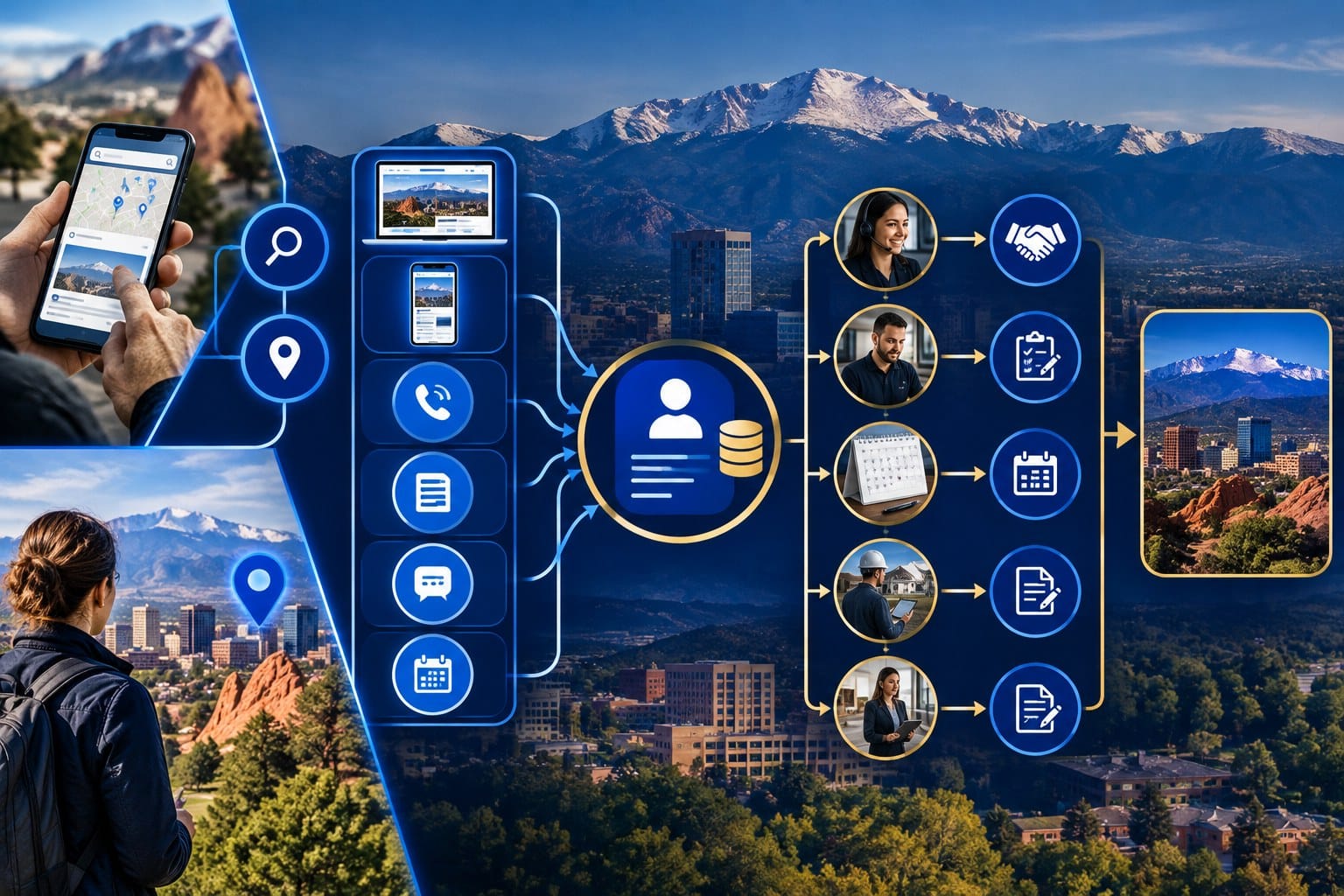
The second month turns the map into an operating workflow.
Do not connect every possible field merely because an integration makes it available. Move the information people need to make the next decision. Unnecessary data can make a CRM look comprehensive but harder to use.
Week 5: Connect Discovery to the Correct Website Experience
Align high-intent discovery with the page and action most appropriate to the customer’s need.
Check that:
- Priority services have substantive pages
- Local pages provide meaningful geographic context
- Google Business Profile links reach the correct destination
- Paid campaigns use relevant landing pages
- AI-search and informational content provide a logical next step
- Calls to action match customer readiness
- Tracking parameters and source data survive the visit
- Contact options work on mobile devices
Google states that foundational SEO practices remain relevant to its AI features and that no special AI file or markup is required for eligibility. Accessible, useful, reliable information remains the foundation. Google Search Central guidance for AI features
The operational lesson is straightforward: do not build an AI workflow to compensate for an unclear service page or a broken contact path.
Week 6: Connect Calls, Forms, Bookings, and Chats to the CRM
Every meaningful inquiry should create or update one usable customer record.
The record should preserve:
- Contact information
- The requested service
- The customer’s location
- The source and relevant campaign context
- The page, call route, or booking path
- The inquiry message or transcript when appropriate
- Consent and communication preferences
- Ownership
- The required next action
The process should also define how to merge duplicates and recognize repeat customers. One person who submits a form and then calls should not become two unrelated prospects.
Our guide to how AI can connect marketing, sales, and customer data explains why the CRM must preserve customer context rather than merely collect names and phone numbers.
Week 7: Establish Response, Routing, and Escalation Standards
The company should define what happens immediately after each inquiry type.
An automated acknowledgment can confirm receipt and set an honest expectation. It should not be confused with a human response.
For each lead type, specify:
- Who receives it first
- Who provides backup coverage
- How priority is determined
- What information must be reviewed
- The expected time to acknowledgment
- The expected time to a meaningful human response
- The number and timing of follow-up attempts
- When the lead is reassigned or escalated
- What stops automated follow-up
The speed-to-lead process should measure both timing and response quality. A fast generic email cannot determine whether the caller needs emergency service, whether the project fits the company, or whether the person has already spoken with an employee.
Week 8: Return Sales Outcomes to Marketing
Marketing should receive more than a lead count. It needs the outcomes that show whether the people attracted were appropriate for the business.
Return data such as:
- Qualified or disqualified
- Contacted or not contacted
- Appointment scheduled or missed
- Estimate or proposal issued
- Won or lost
- Loss or disqualification reason
- Service purchased
- Customer location
- Customer value and revenue
This feedback can change priorities. A channel producing fewer leads may create more qualified opportunities. A page with modest traffic may contribute to high-value customers. A campaign with an attractive cost per lead may look much less attractive when most of those leads fall outside the service area.
Day-60 Deliverables
By the end of the second phase, the business should have:
- High-intent discovery connected to relevant pages and actions
- Calls, forms, chats, and bookings creating usable CRM records
- Source, service, and location context preserved
- Clear ownership and backup coverage
- Response and escalation standards
- Defined follow-up sequences
- Stop conditions for automation
- Qualification and sales outcomes returned to reporting
- A tested journey from inquiry through a recorded sales result
Days 61–90: Improve Decisions, Automation, and Revenue Measurement

The third month uses the connected data to improve decisions. AI becomes more useful at this stage because it has clearer context, defined outcomes, and human-approved boundaries.
Adding AI before fixing the operating process tends to automate ambiguity. The system becomes faster at doing something nobody defined particularly well.
Week 9: Introduce AI-Assisted Qualification and Prioritization
AI can help organize lead information, summarize inquiries, identify missing fields, categorize requested services, detect urgency, and recommend a priority for human review.
A useful qualification model may consider:
- Service fit
- Geographic fit
- Timing or urgency
- Project size or customer value
- Budget indicators when appropriate
- Commercial versus residential intent
- Existing-customer status
- Completeness of submitted information
- Known disqualification conditions
The business must define the criteria and retain responsibility for the decision. AI should not independently reject people, make high-impact eligibility decisions, or invent facts absent from the record.
NIST’s AI Risk Management Framework organizes AI risk work around governing, mapping, measuring, and managing risk. Its human-AI guidance also emphasizes clearly defining human roles and responsibilities. Those principles translate well to a local business using AI in lead handling: document the use, test it, monitor it, and keep accountable people in control. NIST AI Risk Management Framework
Week 10: Add Controlled Automation
Automate repetitive actions that have clear triggers, approved content, and defined stop conditions.
Good candidates may include:
- Inquiry acknowledgment
- CRM record creation
- Owner assignment
- Task creation
- Missing-information requests
- Appointment confirmations and reminders
- Internal response alerts
- Overdue-response escalation
- Estimate follow-up reminders
- Review requests after verified completion
- Reactivation reminders based on legitimate service intervals
Keep human control over:
- Complex qualification decisions
- Sensitive conversations
- Pricing exceptions
- Complaints and dispute resolution
- High-value proposals
- Safety, legal, medical, or financial issues
- Final sales decisions
- Any communication where context materially changes the answer
Week 11: Build the Revenue View
The reporting system should distinguish activity, leads, sales movement, and business outcomes.
| Measurement level | Examples |
|---|---|
| Visibility | Search impressions, Maps views, AI mentions, advertising reach, branded discovery |
| Engagement | Landing-page visits, service-page activity, profile interactions, return visits |
| Conversion | Calls, forms, chats, bookings, direction requests |
| Lead quality | Qualified rate, disqualification reasons, service and location fit |
| Sales process | Response time, contact rate, appointments, estimates, proposals, follow-up completion |
| Business outcome | Customers, revenue, close rate, average value, repeat purchases, referrals |
Do not combine these into one mysterious score. The levels diagnose different parts of the system.
The report should allow the business to compare source, service, location, landing page, campaign, lead quality, sales activity, customer value, and revenue. Perfect attribution is not always possible, particularly when customers move across devices and channels. The goal is useful accountability, not fictional precision.
Week 12: Review, Prioritize, and Establish the Next Cycle
Use the connected data to identify the next constraint.
Questions should include:
- Which sources produce qualified leads?
- Which services create the strongest customer value?
- Where do high-intent visitors fail to convert?
- Which lead types receive slow or incomplete responses?
- Where do opportunities stall before an appointment or estimate?
- Which loss reasons indicate a marketing problem?
- Which loss reasons indicate a sales, pricing, availability, or operational problem?
- Which automations save time without reducing customer confidence?
- Which AI suggestions are consistently useful?
- Which AI outputs require correction?
- Which information remains missing from the customer record?
Select the next changes according to potential business value, effort, risk, and proximity to revenue. This is the practical discipline behind Quickest Path to ROI SEO: prioritize improvements most likely to drive meaningful progress rather than starting with the longest possible task list.
Day-90 Deliverables
By the end of the third phase, the business should have:
- Documented AI uses, limits, and human owners
- AI-assisted organization or qualification where appropriate
- Controlled automation with stop conditions
- A connected reporting view from visibility through revenue
- Lead-quality and loss-reason feedback
- A tested review, retention, or reactivation workflow
- A list of findings from the first operating cycle
- A prioritized plan for the next 90 days
Use a Weekly Operating Cadence
The roadmap works better when each week includes implementation, testing, and decisions, not 11 weeks of meetings followed by one adventurous Friday afternoon.
A simple cadence can include:
Monday: Review the Constraint
Confirm the week’s outcome, responsible owner, dependencies, and definition of done.
Tuesday and Wednesday: Implement
Complete the selected technical, operational, content, or data work. Document configuration changes and decisions.
Thursday: Test the Complete Handoff
Test from the customer-facing action through the internal record, notification, ownership, response, and outcome.
Friday: Analyze and Decide
Review failures, corrections, unexpected behavior, data quality, and the next priority. Keep a decision log so the team remembers why a workflow was changed.
Every two weeks, complete a broader journey test involving a real call, form, booking, qualification decision, sales-stage update, and final outcome. A workflow diagram is useful. A successful end-to-end test is more persuasive.
Decide What AI Should and Should Not Do
AI belongs inside the One-Funnel system when it improves a defined process without removing necessary accountability.
Appropriate AI Support
AI may help:
- Summarize inquiry context
- Categorize service requests
- Identify missing information
- Recommend lead priority for human review
- Draft personalized follow-up for approval
- Detect overdue tasks or stalled opportunities
- Group loss reasons and recurring objections
- Compare channel and lead-quality patterns
- Surface content questions from customer conversations
- Identify records that may need reactivation
Inappropriate AI Substitution
AI should not be used to:
- Invent customer facts
- Send unreviewed sensitive advice
- Make unsupported promises
- Decide consequential eligibility without appropriate oversight
- Hide that nobody is responsible for the lead
- Continue contacting a person after a stop condition
- Replace consent, privacy, security, or access controls
- Convert weak data into confident-looking conclusions
The business should maintain an AI-use register showing the use case, data involved, system owner, human reviewer, approved actions, prohibited actions, testing procedure, and monitoring schedule.
AI-powered does not mean AI-controlled. It means well-defined processes can receive additional analytical and operational support.
Measure the Roadmap Through Business Outcomes
Don’t declare the roadmap successful just because integrations were turned on.
Measure whether the system is becoming more reliable and commercially useful.
Foundation Metrics
- Percentage of conversion paths tested successfully
- Percentage of inquiries creating a usable CRM record
- Required-field completion rate
- Duplicate-record rate
- Percentage of records with a named owner and next action
Response Metrics
- Time to acknowledgment
- Time to first human attempt
- Time to meaningful human contact
- Contact rate
- Overdue-response rate
- Follow-up completion rate
Quality Metrics
- Qualified-lead rate
- Disqualification reasons
- Service and location fit
- Appointment or consultation rate
- Estimate or proposal rate
- Lost-opportunity reasons
Business Metrics
- Customers by source and service
- Close rate
- Average customer value
- Revenue by source when supportable
- Customer acquisition cost when expenses are complete
- Repeat purchases
- Referrals
- Retention or reactivation outcomes
Compare trends and cohorts rather than relying on one isolated week. Local demand, seasonality, staffing, capacity, weather, promotions, and competitive changes can affect results.
The roadmap improves the quality of the evidence available for decisions. It doesn’t eliminate every external influence.
What the Business Should Have by Day 90
A realistic 90-day outcome is not a perfect autonomous funnel.
The business should have a working revenue system that is clearer, more connected, and easier to improve.
That includes:
- One documented customer journey with multiple legitimate entry points
- Shared definitions for inquiries, leads, qualified leads, opportunities, customers, losses, and disqualifications
- One central customer record or a clearly defined source of truth
- Reliable call, form, chat, and booking capture
- Preserved source, service, location, and campaign context
- Named ownership and escalation rules
- Measured response standards
- Sales outcomes returned to marketing
- Selected AI assistance with documented human oversight
- Controlled automation with stop conditions
- Reporting that separates visibility, conversions, lead quality, sales activity, customers, and revenue
- A prioritized improvement cycle for the next quarter
The business may still use several platforms. The difference is that the platforms now support one operating model.
Common 90-Day One-Funnel Mistakes
Buying Software Before Mapping the Journey
A new platform can’t fix a process the business hasn’t defined. It may simply move the confusion into a more expensive interface.
Attempting to Integrate Everything at Once
Connect the handoffs closest to active opportunities first. Lower-value data can wait until the core journey works.
Treating the CRM as a Contact List
Names and phone numbers are not enough. The CRM must preserve context, ownership, next actions, sales movement, and outcomes.
Measuring Form Submissions as Final Success
A form submission is an important conversion event. It is not automatically a qualified lead, customer, or revenue outcome.
Confusing Fast Automation With Good Response
An instant acknowledgment can improve the experience. A meaningful human response still requires judgment, context, and responsibility.
Allowing AI to Act Without Defined Boundaries
AI should operate within approved use cases, data permissions, review standards, and escalation rules.
Leaving Sales Outcomes Outside Marketing Reports
Without qualification, loss, customer, and revenue feedback, marketing cannot distinguish attention from business value.
Declaring Victory on Day 90
The first 90 days create the operating foundation. The system must continue through strategy, implementation, analysis, reporting, and reprioritization.
Frequently Asked Questions
What is a 90-day One-Funnel AI roadmap?
A 90-day One-Funnel AI roadmap is a phased implementation plan for connecting visibility, websites, lead capture, CRM records, qualification, follow-up, human sales, attribution, revenue, and post-sale activity. The first month maps and stabilizes the system, the second connects high-value handoffs, and the third improves automation, AI assistance, and revenue measurement.
Can a small business implement the roadmap without replacing its software?
Often, yes. The first priority is defining the customer journey, required information, ownership, response standards, outcomes, and measurement. Existing tools may support much of the workflow through configuration, integrations, and disciplined use. Replacement should follow a documented limitation, not a general desire for newer software.
Does the roadmap guarantee better revenue within 90 days?
No. The roadmap does not guarantee rankings, leads, sales, revenue, or ROI. It creates a more accountable system to preserve customer context, reduce preventable handoff failures, measure outcomes, and prioritize improvements. Business results still depend on demand, competition, offer quality, sales execution, capacity, and other factors.
Which part of the funnel should a business connect first?
Start with the failure closest to a qualified opportunity or revenue. That may be broken lead capture, missing CRM records, slow response, poor routing, incomplete follow-up, stalled estimates, or absent revenue attribution. The correct starting point depends on the current system and the value of the opportunities being lost.
Where should AI be introduced during the 90 days?
AI is usually most useful after the business defines its data, lifecycle stages, decision criteria, human owners, and desired outcomes. It can then assist with summarization, categorization, prioritization, drafting, monitoring, and analysis. High-impact decisions and sensitive communications should retain appropriate human review.
Build the Revenue System Before Adding More Activity
A business can keep adding content, advertising, software, automation, and AI while the same customer handoffs keep failing.
More activity will not repair a disconnected system on its own. It may simply send more opportunities into the same gaps.
The 90-day One-Funnel AI roadmap creates a more disciplined progression:
- 1. Define the business outcome.
- 2. Map the real customer journey.
- 3. Repair critical failures.
- 4. Connect high-value handoffs.
- 5. Preserve customer context.
- 6. Establish ownership and response standards.
- 7. Return sales outcomes to marketing.
- 8. Add AI and automation within defined limits.
- 9. Measure customers and revenue.
- 10. Prioritize the next constraint.
Elite SEO Consulting helps businesses connect search visibility, websites, conversion paths, CRM records, follow-up, AI assistance, sales activity, and revenue measurement through one accountable customer-acquisition system.
Call 719-474-9404 or contact Elite SEO Consulting to identify the disconnected handoffs in your marketing and build a practical 90-day implementation plan around the opportunities closest to revenue.