
Moving from Wix to WordPress is a website migration project, not simply a change of theme. Plan the content transfer, replacement design, required features, URLs, domain connection, and launch checks separately. Available import methods can help with some content, but you should verify what transfers and what needs rebuilding before replacing the live site.
Table of contents
- Decide Why the Business Needs to Move
- Understand What Can Transfer and What Needs Rebuilding
- Inventory the Website Before Changing Anything
- Map Existing Pages to Their WordPress Destinations
- Build the Replacement Around the Required Customer Tasks
- Plan the Domain, Hosting, Email, and Launch Together
- Test the Replacement Before the Switch
- Monitor the Move and Complete the Handoff
- Wix to WordPress Migration FAQs
- Plan Your Move Before Replacing the Live Website
The business goal should come first. A move can make sense when a documented editing, content, hosting, or functionality requirement justifies the work. Changing platforms without resolving the original problem can produce a different dashboard and the same frustration.
If you are considering WordPress website development, request a migration scope that explains what will be retained, recreated, tested, and supported.
Decide Why the Business Needs to Move
Identify the requirement that the current setup cannot reasonably meet. Your business may need a different content structure, a more manageable publishing process, a particular integration, or a different hosting arrangement.
Also identify what Wix already does well for the business. A functioning inquiry process, useful service pages, and relevant project evidence should inform the replacement plan. Don’t discard them just because they belong to the old platform.
Ask whether focused improvements to the existing site could resolve the problem. A platform move earns its place when the benefit justifies the content work, implementation, testing, and ongoing support.
Hypothetical example: A service company wants to publish a growing set of project studies and maintain several distinct service pages. It should compare how the existing setup and proposed WordPress build handle those tasks. The migration recommendation should follow that comparison.
Understand What Can Transfer and What Needs Rebuilding
First, confirm the destination. Self-hosted WordPress and WordPress.com are different operating arrangements, so a guide for one should not be assumed to describe every installation of the other.
WordPress.com documents a Wix content importer that can bring over items such as pages, images, menus, and the site title. Its documentation describes limited compatibility and explains that the new theme will not reproduce the exact Wix design. Review the stated exclusions and the imported result.
Wix’s standard export guidance describes the dependencies of its hosted website setup. Wix also documents a separate beta code-export route for supported sites, with continuing Wix dependencies and feature limitations. That is a different route from importing a complete functioning website into WordPress.
For a self-hosted WordPress project, have the developer verify the available transfer method for the actual site. Treat each content type and customer feature as something to account for, rather than assuming one tool covers the entire website.
| Migration area | What to establish |
|---|---|
| Pages and posts | Which content can be transferred, what needs recreation, and what should be retained? |
| Design | Which WordPress layouts will present the content, and how will you review them? |
| Images and documents | Where the files will live and whether the new pages still depend on the old site |
| Forms, bookings, and other features | How the customer workflow and necessary data will be preserved or replaced |
| URLs and search | The page mapping, redirects where needed, internal links, and launch checks |
| Accounts and services | Domain, hosting, email, analytics, licenses, access, and cancellation sequence |
Inventory the Website Before Changing Anything

Create an inventory of the existing website before you begin implementation. This becomes the reference for deciding what moves and checking whether you missed anything important.
- Record important page and post URLs, titles, headings, and content.
- Identify images, downloadable documents, and other media that must remain available.
- List forms, notification routes, booking tools, products, payments, and connected services where applicable.
- Record available search and analytics data for important pages and customer actions.
- Identify required business data and its approved transfer or retention process.
- Confirm who controls the domain, Wix account, analytics, and related services.
Content access is only part of the job. Check whether files are actually transferred into the new environment or merely referenced from the old one. The replacement should not unknowingly rely on an account the team plans to retire.
Keep an owner against each unresolved item. A list that says ‘bookings’ is less useful than a decision about how future bookings, historical records, and customer notifications will be handled.
Map Existing Pages to Their WordPress Destinations
Retain useful existing URLs where practical. When they change, decide which new page is the appropriate replacement and document that relationship before launch.
Google’s site migration guidance recommends mapping old URLs to their new destinations, updating internal links, and planning appropriate permanent redirects. It also warns against redirecting many old pages to an irrelevant destination such as the homepage.
Use that mapping to check the finished site. A former service page should lead to the relevant service information, not force the visitor to restart the search. Review navigation and links within the content as well.
Also compare the information on important pages. Keeping the same address while removing a useful explanation can still weaken the page’s value. Our small business website SEO essentials provide a useful reference for planning the replacement.
Build the Replacement Around the Required Customer Tasks
Use the migration to solve the requirement that justified the move. Plan the service structure, page layouts, evidence, and inquiry routes around the intended customer decisions.
Review representative pages using real content. A new theme may organize information differently, so check whether the service details and project material fit before repeating the design across the site.
For each feature, distinguish visual similarity from functional continuity. A contact form that looks familiar still needs the correct fields, confirmation, delivery route, and tracking. A booking feature needs an agreed process for the required appointments and records.
Our guide to matching the next step to the visitor can help define those customer paths. Rebuild the task the business needs, not just the shape of the old button.
Plan the Domain, Hosting, Email, and Launch Together
A domain registration, website hosting, and email arrangement may be managed through different providers. Identify the current setup and who can authorize each part of the move.
Agree on how the replacement will be developed and reviewed before you change public connections. Inventory required email and other service dependencies so the person managing the launch can account for them.
Keeping the existing domain is a separate decision from transferring its registration. Ask the provider which change is actually needed and why. Avoid combining unrelated account changes just because a new website is launching.
Plan the retirement of old services too. Confirm which accounts remain necessary, what must be retained, and who will approve cancellation. The launch checklist should account for these dependencies before removing any old service.
Test the Replacement Before the Switch
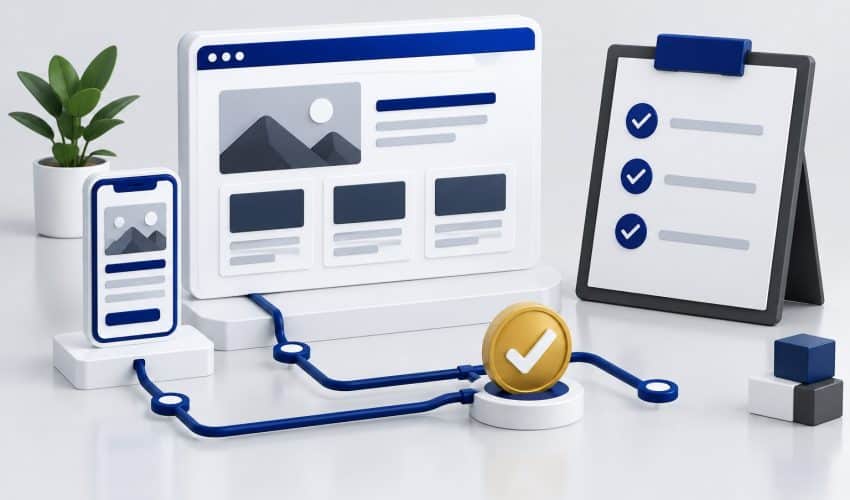
The review needs to cover the full customer experience and key inventory functions. Compare the replacement with the agreed scope rather than judging only the homepage.
- Open priority pages and confirm that important content and evidence are present.
- Check images, downloads, navigation, and links within the content.
- Test changed URLs and their intended destinations.
- Complete forms, bookings, purchases, or other agreed workflows where applicable.
- Confirm notifications reach the intended team and tracking records the defined actions.
- Review mobile use, the editing setup, and public search-access settings.
- Confirm essential accounts, support responsibilities, and the launch sequence.
Record unresolved failures and decide who will correct them. An importer reporting completion does not establish that every customer feature works or that the migration is ready for launch.
Do not promise zero search disruption. A substantial migration can involve changes that search engines need to process. The practical aim is a well-planned transition, with evidence that you’ve accounted for important content and functions.
Monitor the Move and Complete the Handoff
After launch, review the priority URLs, inquiry delivery, measurement, and any reported failures. Compare relevant data with the baseline while accounting for seasonality, traffic changes, and tracking differences.
Keep a record of the migration date and substantial changes. That makes later investigation easier if a page, form, or report behaves unexpectedly.
Complete the WordPress handoff with access, editing guidance, required licenses, maintenance responsibilities, and the support process. The business should understand how to maintain the new site, not just receive a different login screen.
Evaluate whether the original reason for moving has been resolved. Can staff manage the content? Does the required integration work? Can customers complete the important task? Those answers are more useful than treating the platform change itself as the result.
Wix to WordPress Migration FAQs
Do not assume a complete transfer. Available methods depend on the Wix setup and WordPress destination. WordPress.com documents a Wix content importer with limitations, while self-hosted WordPress requires its own verified approach. Review content, design, media, applications, and business data separately.
Not automatically. WordPress.com explicitly notes that its chosen theme will not recreate the exact Wix design. For a self-hosted build, define the intended layouts and functions with the developer, then review them using real content before launch.
A platform change does not inherently require a new domain name. Domain registration and website hosting are separate arrangements. Confirm the current registrar, who controls the account, and how you’ll coordinate the website connection and related services for the move.
A platform change alone does not establish a ranking improvement. The project needs useful content, sound page structure, technical access, and a careful migration plan. Preserve valuable pages and map changes deliberately. Search performance may fluctuate during a substantial move.
Agree on the sequence with the migration provider after reviewing the old plan’s dependencies. The replacement should be checked and the required content and services accounted for before retiring anything. Domain registration, email, applications, media, and other subscriptions may need separate decisions.
Plan Your Move Before Replacing the Live Website
Elite SEO Consulting connects website migration planning with your services, search foundations, and customer inquiries. Explore our website design and development services to discuss the scope.
Bring your current Wix site, the reason for the move, and a list of functions that must keep working. We can discuss the transfer, rebuild, and launch work before you commit. Request a website consultation or call 719-474-9404.