A local customer finds your business on the map, opens your website, and cannot tell whether you handle the job they need. Another customer understands the service but reaches a phone number nobody answers. Both problems belong in your local SEO plan.
DIY local SEO works best when your website and Google Business Profile help customers make the same decision: whether your business is a suitable local provider and how to contact you. Start with accuracy, useful service information, and working inquiry paths. Then improve the evidence that helps people choose you.
You do not need to complete every local SEO checklist before making progress. You need to identify the problems most likely to interrupt a qualified customer’s next step and fix them in a sensible order.
Table of contents
- Understand what you can influence in local search
- Begin with eligibility, ownership, and accurate profile details
- Give the profile enough detail to help a customer choose
- Make your website answer the questions the profile cannot
- Build local pages when there is something useful to say
- Create a review process you can maintain
- Measure discovery, inquiries, and business results separately
Understand what you can influence in local search
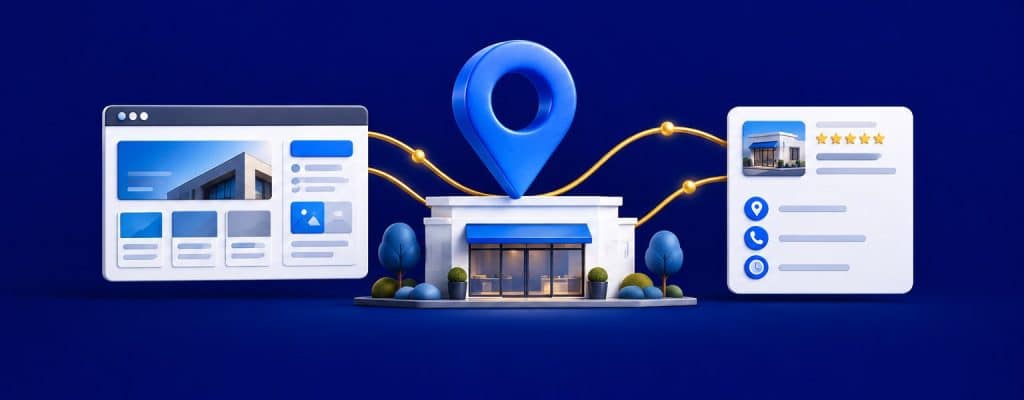
Google’s local ranking guidance describes relevance, distance, and prominence as central considerations. Relevance concerns how well the business matches the search. Distance concerns the searcher’s location relative to the business. Prominence concerns how well known the business is.
You can improve the accuracy of your business information, explain your services, develop useful pages, and earn legitimate recognition. You cannot use a profile setting to make your business physically closer to every customer.
This matters when evaluating results. A search from your office is one observation from one place. A prospect across town may see a different set of businesses. Avoid treating one screenshot as the final verdict on your entire market.
Map visibility and website visibility also require separate attention. The Business Profile helps customers evaluate and interact with your local listing. The website can explain the work in much greater depth. Neither should compensate for a weak version of the other.
Begin with eligibility, ownership, and accurate profile details
Before optimizing the description, confirm that the profile represents an eligible business and that you have the appropriate account access. If someone else controls an existing profile, use the ownership process instead of creating another listing to avoid the issue.

Google’s business representation guidelines explain how names, categories, and locations should reflect the real business. Use the name customers recognize. Adding a string of services and city names to the name field is not a substitute for describing your services properly.
Review these details against your actual operations:
- Business name: accurate and consistent with real-world representation.
- Category: the most appropriate available primary category, with additional categories only where they genuinely fit.
- Phone and website: working destinations that belong to the business and help the customer take the next step.
- Hours: current operating hours and relevant exceptions, with appointment requirements explained clearly.
- Location or service area: an accurate description of how and where customers receive service.
Google’s service-area guidance distinguishes businesses that travel to customers from those that also serve customers at their address. If customers are not served at your business address, follow the instructions for removing that address from public display. Listing a city you serve does not establish an office there.
Do not invent locations to broaden your footprint. For multiple genuine locations, assess eligibility and maintain the correct details for each. Moves, duplicate profiles, suspensions, and complicated ownership situations are sensible points to bring in expert help before making more changes.
Give the profile enough detail to help a customer choose
Once the essentials are correct, improve the information a prospect uses to judge suitability. Review the services, description, relevant attributes, and available action links. Use the fields currently available for your category and account.
Describe the actual work in ordinary language. If you offer repair but not replacement, say so where appropriate. If a service requires an assessment, explain that rather than publishing an invented price.
Use genuine photos of the business, work, equipment, or location when suitable and permitted. Choose images that help customers understand what they can expect. Get permission where needed and keep private customer details out of view.
Updates can share current information, such as seasonal services or changed availability. Make them useful. A posting schedule doesn’t fix a broken contact link, and volume alone is a poor reason to publish.
For a hypothetical cleaning service, clearly explain recurring residential cleaning and move-out appointments to set expectations. A description promising every possible service in every nearby city is more likely to create unsuitable inquiries.
Make your website answer the questions the profile cannot
A profile can introduce the business. A strong service page can explain whether the work fits the customer’s situation, how you approach it, and what happens after an inquiry.

Choose one important service page to improve first. Read it as a customer who has never met you. It should answer:
- What specific service do you provide?
- What problems or situations is it intended to address?
- Where is the service available, and are there meaningful limitations?
- What happens during assessment, scheduling, and delivery?
- What affects scope or price, if a fixed price is unsuitable?
- What evidence supports the customer’s confidence?
- How can the customer request the next step?
Use a descriptive page title and main heading. Explain the service near the beginning, then develop the details. Relevant project examples, genuine qualifications, and clear process information are more helpful than repeating a city name until the paragraph loses the will to continue.
Link related services and important supporting information where a reader would need them. Your website structure should make those paths easy to follow. A page that exists but is difficult to reach is harder for customers to use.
Build local pages when there is something useful to say
A location or service-area page should help a person in that area understand your offering. Changing only the city name across a collection of near-identical pages adds little decision value.
Distinguish a physical location from an area you serve. A genuine office page can explain visits, access, location-specific hours, and services available there. A service-area page can explain coverage, scheduling considerations, and relevant work without implying that you have an office down the street.
For example, a contractor serving a neighboring community might list real projects, specific scheduling considerations, and a clear explanation of available services there. Those details can support a useful page. If you have nothing specific to add, a clear coverage section on an existing page may be the better starting point.
Keep names, hours, phone numbers, and service promises aligned across pages. Review existing structured data when those facts change. Code should describe the business accurately; it cannot establish a location that does not exist.
Create a review process you can maintain
Reviews help prospective customers learn about real experiences. Build a straightforward request into the completion of your work rather than waiting until someone remembers during a quiet afternoon.
Google’s review guidance allows you to ask customers for reviews and prohibits incentives in exchange for posting, changing, or removing them. Keep requests neutral and let customers describe their experience in their own words. Do not write the review for them.
Reply professionally and address useful details. If a concern needs investigation, invite the customer to continue privately without publishing account information or personal circumstances. A defensive essay rarely improves anyone’s confidence in the business.
Look for operational lessons too. Repeated comments about slow callbacks may point to an inquiry-handling problem. SEO can bring attention to your business, but your team still determines what happens when someone reaches out.
Choose the next task by the customer problem it solves
Priorities should reflect the current bottleneck. A business with accurate details but thin service pages needs different work from a business whose profile points to an old number.
| What you find | First action | What to check afterward |
|---|---|---|
| Wrong phone or broken website link | Correct the destination and test it. | Can a customer complete the intended action? |
| Unclear service offering | Improve the relevant profile fields and service page. | Are inquiries better aligned with work you accept? |
| Customers unsure about coverage | Explain actual service areas and limitations. | Are location questions and unsuitable inquiries reduced? |
| Little evidence of real work | Add appropriate genuine examples and request honest reviews. | Does the information answer common trust questions? |
| More visits but few inquiries | Inspect mobile contact paths and the offer. | Do forms, calls, and follow-up work reliably? |
AI can help organize findings, compare descriptions, or suggest questions your page leaves unanswered. Verify the advice before changing profile eligibility details, categories, templates, or tracking. Ask the tool to identify missing facts instead of inventing them.
Record what you changed and why. A manageable list of completed improvements is more useful than a dashboard containing fifty tasks nobody owns.
Measure discovery, inquiries, and business results separately
Use Business Profile performance information alongside website analytics, Search Console, and your own inquiry records. Each source answers a different question, and you shouldn’t assume their totals represent the same activity.
Google’s performance documentation defines the profile’s calls metric as clicks on the call button. That is different from answered calls, qualified leads, estimates, or sales. Website clicks likewise don’t confirm that someone submitted an inquiry.
Test the mobile experience yourself. Place a test call, submit a form, and confirm that the inquiry reaches the right person. Where appropriate, use consistent campaign tags on profile links to help identify website visits in analytics. Keep the destination valid and document your setup.
Track which inquiries fit your services and area, which become customers, and what work they produce. Compare sensible periods while considering seasonality and operational changes. Use ranking observations as context, recording the query, date, and search location.
If your broader plan includes AI discovery, review GEO and AI search visibility alongside local SEO. Accurate local information is worth maintaining, but it does not guarantee an AI recommendation.
Frequently asked questions
Can an online-only business create a Google Business Profile?
Do not assume it is eligible. Google’s rules generally require qualifying in-person customer contact. Review the eligibility guidelines for the actual business model before creating a profile.
Should I choose categories based on competitors?
Competitor research may reveal options to investigate, but the final categories must accurately describe your business. Do not add categories for work you do not provide simply because another listing uses them.
Do I need a page for every nearby city?
No. Start with useful service information and accurate coverage. Add individual pages when you can provide meaningful, area-specific information that helps customers decide.
Can I do local SEO if I cannot work on it every day?
Yes. Set a realistic routine for reviewing details, handling feedback, and improving important pages. Give operational changes prompt attention and use available time for the highest-priority customer problems.
When should I get consulting help?
Get help when eligibility or ownership is unclear, a profile is suspended, multiple locations conflict, or the next technical change exceeds your comfort level. Consulting can also help identify bottlenecks when consistent work isn’t producing suitable inquiries.
Build a local SEO plan you can carry out
You can handle many local SEO improvements yourself when you have clear priorities and know what to verify. Expert guidance helps when you need to choose the next action or review a sensitive change.
Elite SEO Consulting’s DIY SEO and GEO consulting supports business owners at the level they need. Bring your website, Business Profile, inquiry observations, and current task list so we can help you focus the work.
Call 719-474-9404 or contact Elite SEO Consulting to discuss a practical local SEO plan for your business.