
WordPress can be a good choice for a small business that needs useful service pages, room to publish project evidence, control over its hosting arrangement, and flexibility for future requirements. Those benefits depend on how you build and maintain the website. The platform should make the work your business needs easier to manage.
Table of contents
- What We Mean by a WordPress Business Website
- Give Important Services and Customer Questions Room to Grow
- Build an Editing Process Your Team Can Actually Use
- Choose Hosting and Keep Essential Access Clear
- Add Features Around a Defined Business Requirement
- Support SEO and AI Discovery Through the Implementation
- Plan for Maintenance Instead of Treating It as an Afterthought
- When WordPress Is a Good Fit and When to Reconsider
- What to Confirm Before Approving a WordPress Build
- WordPress for Small Business FAQs
- Plan a WordPress Website Around Your Next Priority
I would put WordPress on the shortlist when the website needs to support ongoing marketing and changing service information. I would also ask who will maintain it, how staff will edit it, and which features are actually necessary. Flexibility is valuable when it solves a business need.
If you are considering WordPress website development, evaluate the proposed setup through the customer tasks and routine updates it must handle. A recognizable platform name is a starting point for that discussion.
What We Mean by a WordPress Business Website
This article focuses on the open-source WordPress software installed with a hosting provider chosen for the business. That is commonly called self-hosted WordPress. A provider can manage the hosting and technical support, so self-hosted does not mean your staff must personally run a server.
WordPress.com is a separate hosted service with its own plans and included features. Confirm which arrangement a proposal describes before comparing cost, access, or maintenance responsibilities.
The official WordPress overview describes the software as open source. That gives the business and its developers options for how to use and extend it, while licenses, account access, and outside services still need to be understood.
Give Important Services and Customer Questions Room to Grow
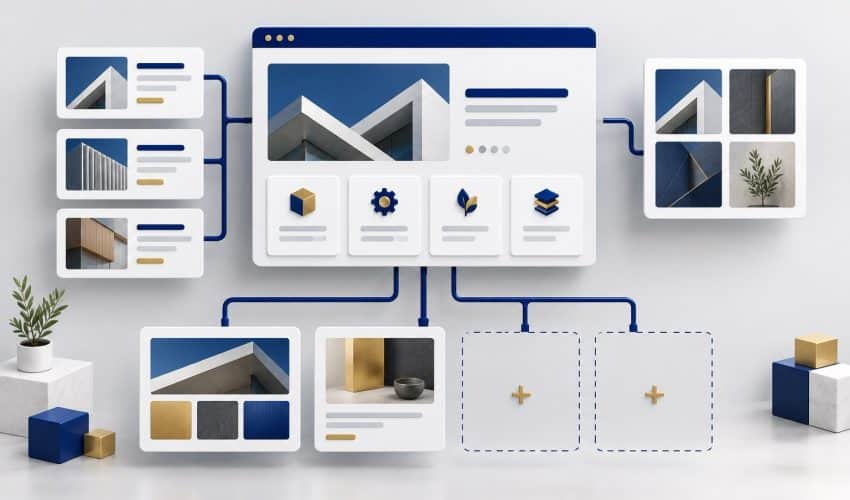
A business website often needs to explain more than a homepage can reasonably cover. Distinct services, relevant projects, buying questions, and accurate company information need an organized place in the site.
WordPress can support that content work when you plan the structure and templates around it. Build a consistent way to add a service explanation, publish a project, and connect related information. The goal is to expand useful content without reinventing the page layout each time.
Hypothetical example: A Colorado Springs service company starts with a focused range of work, then adds a commercial offering. A suitable setup would let the team create a clear commercial service page, publish relevant project evidence, and add an appropriate inquiry route. That future use should influence the initial structure.
Do not confuse room to grow with a reason to publish more pages indiscriminately. Give each page a distinct customer purpose. A maintainable site helps the business keep those pages accurate as the offer changes.
Build an Editing Process Your Team Can Actually Use
A useful editing experience lets the right person update the right information with confidence. It depends on the chosen editor, how layouts are configured, and the handoff the developer provides.
WordPress documents a block editor for creating and arranging content. Other builds may use different editing tools. Ask to see the specific environment your team will use rather than assuming every WordPress site edits the same way.
- Update a service description without disrupting the layout.
- Replace a project image and provide a suitable description.
- Add a new project or article using the intended structure.
- Find the contact or inquiry settings your staff needs to understand.
- Identify changes that should go through the technical support process.
Have the intended editor try representative tasks during handoff. Training should match the actual website. An editing interface with dozens of options isn’t automatically more useful than a focused setup that handles the business’s routine work.
Choose Hosting and Keep Essential Access Clear
Self-hosted WordPress allows the business to choose a suitable hosting provider. That choice can be useful when support needs, performance requirements, or the working relationship change.
The official hosting documentation explains that WordPress needs a web server and that WordPress-specific hosting may include features such as backups or updates. Check what the proposed arrangement actually includes.
Confirm who controls the domain account, hosting, website administrator access, analytics, and other essential services. Also clarify access to the site’s files and database, usage rights, and any licenses the agency provides.
The practical benefit is making informed choices later. A platform that offers options still needs an organized handoff and documentation of the services the website depends on.
Add Features Around a Defined Business Requirement
WordPress supports extension through plugins and development work, but every feature should have a reason. Start with the customer task, then identify an implementation you can maintain reliably.
That may mean an inquiry form, a booking process, a product catalog, or a connection to another business system. The official WordPress features overview describes its extensibility. It does not establish that any particular combination of tools will meet your requirements without review.
Ask the developer how the proposed components work together, what they cost, and who supports them. Test the complete workflow, including what happens after the visitor submits information or completes a transaction.
Adding features can also add dependencies. Keep the setup purposeful. The business should understand what a component does before it becomes something the website cannot operate without.
Support SEO and AI Discovery Through the Implementation
A WordPress build can give the team practical ways to manage pages, headings, metadata, and internal links. The value comes from using those capabilities to communicate the business clearly and make important content accessible.
Plan priority service pages before the visual design is final. Include relevant evidence and useful answers, then connect related pages in ways that help customers navigate. Our small business website SEO essentials can help define that scope.
An SEO plugin can help with specific tasks, but it cannot decide which services to prioritize or create genuine business expertise. Ask which research, writing, implementation, and ongoing review tasks are included.
For AI discovery, Google’s website guidance for AI features says established SEO practices remain relevant to AI Overviews and AI Mode, without additional requirements specific to those features. Choosing WordPress does not create automatic AI placement. Useful content and a sound implementation still need to be built.
Plan for Maintenance Instead of Treating It as an Afterthought

The website needs a maintenance owner. Define who is responsible for updates, backups, recovery, checking key functions, and investigating problems. Hosting and maintenance may be supplied together, but they are different responsibilities.
WordPress’s update guidance recommends backing up before an update so you can recover if an issue occurs. Ask how the provider handles that process and how the agreed customer tasks will be checked after meaningful changes.
Support can come from an agency, a suitable hosting arrangement, an internal technical resource, or a defined combination. The key is that duties are assigned and understood.
Keep required renewals and connected services visible in the budget. A website with no ongoing software purchase fee can still have hosting, premium components, support, and staff costs.
When WordPress Is a Good Fit and When to Reconsider
WordPress deserves consideration when the business needs a maintainable content structure, meaningful control over the setup, and flexibility for planned requirements. Those advantages are strongest when the team has a sensible support arrangement.
| Potential business benefit | What the build needs to provide |
|---|---|
| Room for services and project evidence | A planned page structure and reusable content layouts |
| Staff can maintain useful information | A manageable editor, appropriate access, and practical training |
| Features can support customer tasks | Purposeful integrations, testing, and clear support responsibilities |
| Choice over hosting arrangements | Suitable hosting, business-controlled access, and a migration plan if needed |
| Search work can continue after launch | Accessible pages, useful content, internal links, and an ongoing review process |
Reconsider the approach if the business has no plan for upkeep, the proposed build is much more complex than the requirements, or another solution handles the necessary tasks more simply. A specialized application may also need an approach beyond a conventional business website.
A good recommendation should explain why WordPress fits your intended work. It should also identify what it will not solve on its own, such as unclear service positioning, missing project evidence, or slow inquiry follow-up.
What to Confirm Before Approving a WordPress Build
Before approving the project, have the provider show how the business will use the website after launch. Compare the proposed work with the functions and content your customers need.
- Confirm the priority page map and customer actions.
- Identify the editor, templates, and routine tasks your staff will handle.
- List required plugins, integrations, licenses, and recurring services.
- Clarify content responsibilities and the initial search work included.
- Define form delivery, mobile, integration, and measurement tests.
- Agree on hosting, maintenance, account access, training, and support.
Use our guide to matching the next step to each visitor when defining inquiry paths. A feature should support a decision the customer is ready to make, and the business should be prepared to handle the response.
That gives the platform a clear job. The result to look for is a website your business can use and improve, with responsibilities that remain manageable after launch.
WordPress for Small Business FAQs
The open-source WordPress software is available without a software purchase fee, but a working business website still has costs. Budget for the build, hosting, domain, any paid licenses or connected services, and the agreed maintenance. Ask which costs are required and which are optional.
Routine content editing can be handled without coding in a thoughtfully configured site. The experience depends on the editor, templates, permissions, and training you choose. Ask to try the actual tasks your team will perform, and identify which changes need technical help.
No. WordPress can support SEO, but page planning, useful content, technical access, internal links, and proper implementation still matter. An SEO plugin can help with specific tasks; it doesn’t replace strategy or guarantee rankings.
You can move self-hosted WordPress between suitable hosting environments, but the move needs planning. Confirm access to files, the database, accounts, licenses, and connected services. A hosted WordPress service may have plan-specific conditions, so establish which setup is being proposed.
No. Choose it when the content, functionality, control, and support requirements justify the setup. A simpler hosted service may suit some needs, while unusual applications may need a different approach. Evaluate the required customer tasks and maintenance plan before choosing.
Plan a WordPress Website Around Your Next Priority
Elite SEO Consulting connects website planning with your services, search foundations, and customer inquiries. Explore our website design and development services to discuss the scope and support requirements.
Bring your current site, priority services, required features, and the updates your team expects to make. We can discuss whether a WordPress build or focused work on the existing setup fits those needs. Request a website consultation or call 719-474-9404.